The SPT-Box activation is an additional software for Infinity CDMA-Tool. The activation enables Samsung cell phones decoding, flash, repair IMEI, NVM, camera, network etc. The SPT-Box activation allows the Infinity CDMA-Tool users to operate with Samsung handsets based on the Swift, Agere, Sysol, Softbank and UMTS platforms.
How to Activate?
Features:
- Alphabetical phone model selection
- Displays information about required cable for the selected phone model
- Automatic file selection for Sysol, Swift and Zxxx flashing
- Read info from all supported models
- Read all codes: NCK, MCK, NSCK, SCK, PCK, etc.
- Direct and fast removing all locks
- Relock
- High-speed flashing
- Read/write EEPROM
- Read/write full flash (super fast USB flashing mode available for Agere based phones)
- Safe and very fast Zxxx flashing
- IMEI repair
- Bypass MSL security in the new phones
- Repair all software faults
- Repair “Phone freeze”
- Repair '”Phone locked return for servicing” & “Wrong Card”
- Repair permanently blocked phones (0 code counter)
- Repair damaged NV/NVM/EEPROM
- Automatic login to support area
Supported models *:
- 705sc, 706sc, 707sc, 707SCII, 709s
- A117, A127, A501, A516, A701, A707, A800
- C100, C108, C110, C120, C130, C140, C160, C160L, C166, C170, C180, C200, C210, C216, C225, C230, C240, C250, C260, C300, C400, C417, C420L, C426, C450, C506, C520
- D100, D307, D347, D357, D407, D410, D415, D428, D488, D500, D500E, D508, D510, D520, D550, D600, D610, D710, D720, D730, D800, D807, D820, D830, D840, D900, D900i
- E100, E105, E116, E200, E210, E217, E250, E250D, E250V, E300, E310, E315, E316, E317, E318, E320, E330, E335, E340, E350, E356, E360, E370, E380, E390, E400, E418, E420, E480, E490, E500, E530, E560, E570, E590, E600, E610, E620, E630, E635, E640, E650, E690, E700, E710, E715, E720, E730, E740, E750, E760, E770, E780, E790, E800, E810, E820, E830, E840, E850, E860, E870, E880, E890, E900, E910, E950
- F200, F210, F300
- G600
- I300, I300x, I310, I320, I505, I600, I607, I700, I750
- J600, J600E
- L760
- M300, M600, M610
- Nxxx, N700, N710
- P100, P200, P207, P260, P300, P310, P400, P510, P518, P705, P710, P720, P730, P735, P738, P777, P850, P900, P906, P910, P920
- Rxxx
- S100, S105, S200, S300, S300M, S341i, S342i, S400i, S401i, S410i, S500, S500i, S501i, S720i, S730i
- T100, T108, T209, T219, T309, T319, T329, T509, T519, T609, T619, T629, T649, T719, T729, T809
- U100, U300, U600, U700, U700V
- V100, V200
- X100, X105, X120, X138, X140, X150, X156, X160, X160B, X200, X210, X300, X400, X426, X427, X430, X450, X460, X461, X466, X475, X478, X480, X481, X486, X490, X495, X497, X500, X507, X510, X520, X530, X540, X550, X566, X600, X610, X620, X630, X636, X640, X650, X660, X670, X680, X680N, X700, X770, X800, X810, X820, X830, X830N, X900
- Z100, Z105, Z107, Z110, Z130, Z140, Z150, Z230, Z240, Z300, Z310, Z320, Z330, Z350, Z360, Z370, Z400, Z500, Z510, Z520, Z540, Z550, Z560, Z600, Z620, Z650, Z700, Z710, Z720, ZV10, ZV30, ZV40, ZV50, ZV60, ZM60, ZX10, ZX20
Supported OS:
- Windows 7, 8, 10, 11 32/64-bit
Activation procedure:
- Please provide us with your Infinity Box serial number while making the order.
- After the activation is confirmed, download the DongleManager software
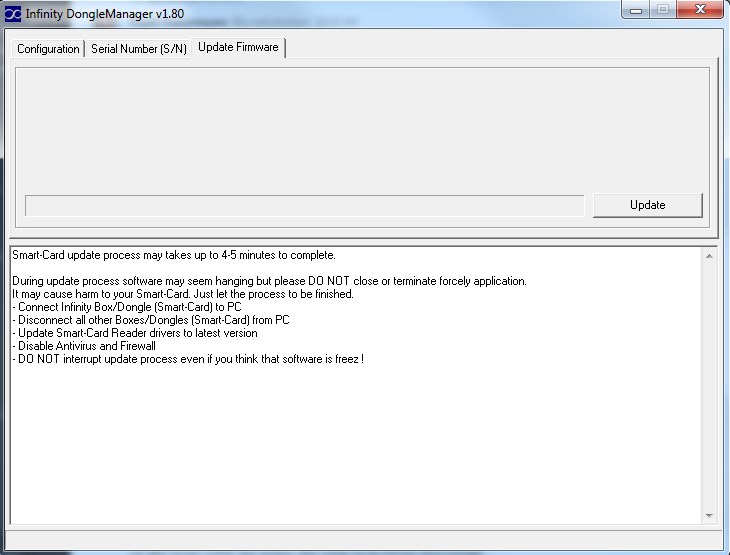
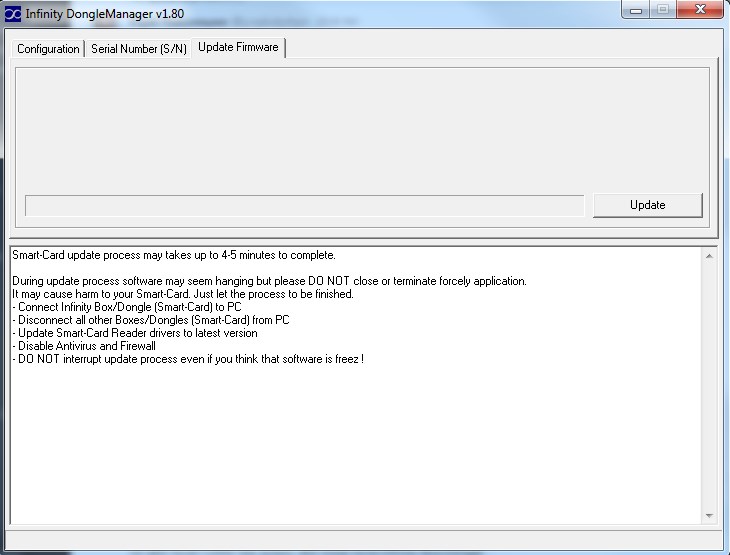
- Run the Infinity Box "DongleManager" and upgrade your dongle firmware
- Run the Infinity Box "DongleManager", read dongle S/N and be sure that you have new module activated
- Download the SPT-Box software at SPTBox website
- Install the SPT-Box software
- Run x:\Program Files\SPT\SPT.exe
- The software can not start completely at the first time therefore the special activation file will be created.
- Send x:\Program Files\SPT\user.ini file to support@SPT-Box.com
- Wait for user.ini file from support
- Copy received user.ini file instead of old file x:\Program Files\SPT\user.ini
- The activation has been complete
- After the activation you will have two software: Infinity Box and SPT-Box. Only one software can run at the same time: Infinity Box or SPT-Box.
N.B.Software updates, flash files, support etc. provided by SPT-Box Team the same way as for SPT-Box user. In case of any technical problems with SPT-Box software contact to
SPT-Box user support.
PLEASE NOTE that you should provide correct card SN while placing an order. Card SN can be read with Dongle Manager software and should be in 8-digit HEX format.
*The developer provides support only for those phones which are on the list of supported. Not all servicing features can be applied to some supported models, due to differences of hardware/software versions. You can find a complete list of supported models on the official product page or the GSM forum.
Detailed information on the further use of the digital product will be sent to your email, specified during registration, when we confirm your payment and process your order.
Activation is compatible with the following models of Dongles:
Activation is compatible with the following models of Cell phones:
You can also be interested in the products from the following categories: