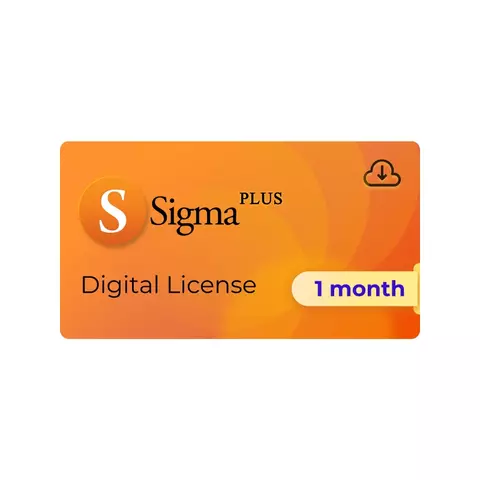
Sigma Plus 1 Month License
General information




Digital product. No refunds, no returns.
The order will be processed within 1-2 minutes during business hours, starting from the moment we receive your full payment. and all the required information. We will send the beginner instructions to your email.
Sigma Plus is a software solution for servicing Huawei / Honor, Moto, ZTE, Vivo, Samsung, Alcatel and other phones.
This license is a digital product that allows you to use Sigma Plus software without a dongle or a box.
Before placing our order, please create a personal account on sigmakey.com How to do it?
Access valid for 1 month.
The license is linked to your computer, and the number of PC changes is limited See PC changing policy
When the paid access period is over, you will need to extend it. For this, just buy the license once again.
What`s New
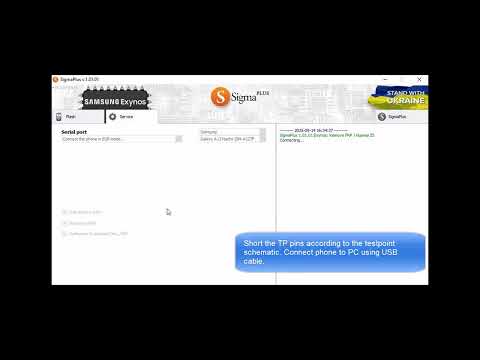
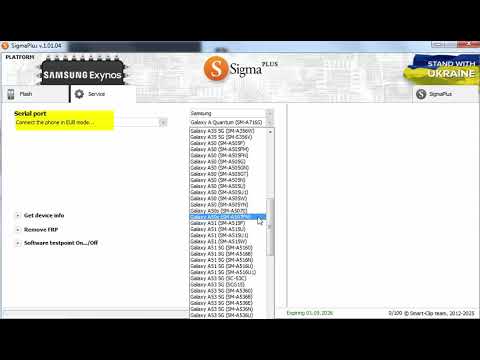
Latest Samsung EXYNOS models added to the list of supported:
- A-series: Galaxy A04s, Galaxy A10, Galaxy A10e, Galaxy A12, Galaxy A13, Galaxy A14, Galaxy A14 5G, Galaxy A16 5G, Galaxy A20, Galaxy A20e, Galaxy A21, Galaxy A21 Simple, Galaxy A21s, Galaxy A25 5G, Galaxy A26 5G, Galaxy A30, Galaxy A30s, Galaxy A33 5G, Galaxy A35 5G, Galaxy A40, Galaxy A40s, Galaxy A50, Galaxy A50s, Galaxy A51, Galaxy A51 5G, Galaxy A53 5G, Galaxy A54 5G, Galaxy A55 5G, Galaxy A7, Galaxy A71 5G, Galaxy A8, Galaxy A8+
- F-series: Galaxy F12, Galaxy F13, Galaxy F14 5G, Galaxy F34 5G, Galaxy F41, Galaxy F54 5G, Galaxy F56 5G, Galaxy F62
- J-series: Galaxy J7 Duo, Galaxy Jean2, Galaxy Jump 2 5G
- M-series: Galaxy M10s, Galaxy M12, Galaxy M13, Galaxy M14 5G, Galaxy M20, Galaxy M21, Galaxy M30, Galaxy M30s, Galaxy M31, Galaxy M31s, Galaxy M33 5G, Galaxy M34 5G, Galaxy M35 5G, Galaxy M54 5G, Galaxy M56 5G, Galaxy M62
- Note-series: Galaxy Note 10, Galaxy Note 10+, Galaxy Note 20, Galaxy Note 20 5G, Galaxy Note 20 Ultra, Galaxy Quantum 5
- S-series: Galaxy S10, Galaxy S10 5G, Galaxy S10+, Galaxy S10e, Galaxy S20, Galaxy S20 5G, Galaxy S20 FE, Galaxy S20 Ultra, Galaxy S20+, Galaxy S20+ 5G, Galaxy S21 5G, Galaxy S21 FE 5G, Galaxy S21 Ultra 5G, Galaxy S21+ 5G, Galaxy S22, Galaxy S22 Plus, Galaxy S22 Ultra, Galaxy S23 FE
- Tab-series: Galaxy Tab S6 Lite, Galaxy Tab S6 Lite LTE, Galaxy Tab S9 FE 5G, Galaxy Tab S9 FE+
- XCover-series: Galaxy XCover 4s, Galaxy XCover Pro, Galaxy Xcover 5
- Note-series: Note 10+ 5G
- SC-series: SC-42A, SC-53C, SC-53D, SC-V43, SC-V46, SC-V49, SCG15, SCG21


Main Features
- Multibrand and multi-platform tool
- Reset FRP, Huawei ID and more
- Write / Backup Firmware
- Repair IMEI
- Direct decoding and Code Generation
- and more...
Advantages
- A service solution with over 20 years of history
- Access to 50+ service features
- 14 000+ models are supported
- Clients in multiple countries all over the world
- Multi-lingual and multi-channel client support 24/7, user manuals and video instructions
- Huawei, Honor, Samsung, Moto, Alcatel, Vivo, Tecno and other brands are supported
- Support for Qualcomm, MediaTek, HiSilicon, TI, Unisoc and other platforms
Exynos Features

| Reset FRP | Software Test Point | Get device info | Read / Write backup | |
| Exynos 850 | ✔ | ✔ | ✔ | |
| Exynos 980 | ✔ | ✔ | ✔ | ✔ |
| Exynos 990 | ✔ | ✔ | ✔ | ✔ |
| Exynos 9610 | ✔ | ✔ | ✔ | ✔ |
| Exynos 9820 | ✔ | ✔ | ✔ | ✔ |
| Exynos 9825 | ✔ | ✔ | ✔ | ✔ |
| Exynos 2100 | ✔ | ✔ | ✔ | |
| Exynos 2200 | ✔ | ✔ | ✔ | |
| Exynos 1280 | ✔ | ✔ | ✔ | |
| Exynos 1330 | ✔ | ✔ | ✔ | |
| Exynos 1380 | ✔ | ✔ | ✔ | |
| Exynos 1480 | ✔ | ✔ | ✔ | |
| Exynos 7884 | ✔ | ✔ | ✔ | ✔ |
| Exynos 78848 | ✔ | ✔ | ✔ | ✔ |
| Exynos 7885 | ✔ | ✔ | ✔ | ✔ |
| Exynos 7904 | ✔ | ✔ | ✔ | ✔ |
| Exynos 9611 | ✔ | ✔ | ✔ | ✔ |
HiSilicon Features
Devices based on HiSilicon Kirin 710 / Kirin 710F / Kirin 710A / Kirin 810 / Kirin 820 / Kirin 970 / Kirin 980 / Kirin 985 / Kirin 990 / Kirin 990E / Kirin 990 5G processors:
Direct decoding
- SOFTWARE TESTPOINT (servicing phones without disassembling)
- Reset Huawei ID
- Read OEM INFO
- RESET FRP
- Board (factory) flash files flashing
- Write original Update.app files
- ENABLE DOWNGRADE
- Write OEM INFO
- Load Fastboot / Backdoor open
- Backup/Restore Huawei IMEI and Network Lock
- Repair "Chip is damaged"
- Huawei ID remove support for Huawei P40/P40 Pro/ Mate 30 Pro series
- "Backup chip data..." feature
Service
- SOFTWARE TESTPOINT (service without disassembling)
- Direct network decoding
- Reset Huawei ID
- RESET FRP
- Get full device info
- Write Battery serial number
Repair
- Repair and Change Vendor / Country / Model
- Read / Write OEM INFO
- Rescue mode entering
- Load Fastboot / Backdoor open
- Write original Huawei board (factory) flash files in *.xml or Sigma format
Write Flash
- Write original FullOtaUpdate / SD_Update files
- Enable Downgrade / Change firmware
- Write firmware in Upgrade or Fastboot mode
Use Huawei secure data (certificate) and Chip Data files made by other Sigma smart cards
- Huawei certificate files are intended for working with IMEI codes of Huawei phones.
- Restore your phone's IMEI.
- Share your Huawei certificate files / Use shared Huawei certificate files.
- Copy the IMEI of Phone 1 and restore it to Phone 2 (in case phone 1 is damaged).
- Replace an old active mobile with the new one saving IMEI number.
- Backup and restore original IMEI(s) and network lock state.
Use certificates/Chip Data from phones based on other platforms
Platforms with compatible certificates: Kirin 710 / 710A / 810 / 820 / 980 / 985 / 990 / 990 5G
Read firmware from HiSilicon device
- Save the firmware from devices with rare version/localization.
- Read firmware from one phone and write it to the other one.
- Users may share the firmware.
Direct decoding (Manufacture mode *#*#2846579#*#*)
- No root required
- Reset SIM LOCK
- Huawei Bootloader Password Reading
Repair IMEI (Manufacture mode *#*#2846579#*#*)
- No root required (old security versions)
Provider (vendor/country) repair
Reset FRP:
- Reset FRP for new Huawei smartphones.
Reset Huawei ID
- Reset Huawei ID lock for new Huawei smartphones.
- You can check your model on the manufacturer's website.
MTK Features
Reset FRP for the large group of Samsung devices
- Popular models supported.
- A/E/F/G/J/N/M/P/S/T/X series supported.
- Android 7-12 supported, no testpoint is required.
- Latest security versions.
Bypass boot authorization
- Allows you to disable security and service devices with any security configuration.
- Allows to service numerous latest MTK devices.
- The solution is based on bootrom Security Bypass Exploits. The following CPUs are supported:
- MT6572, MT6580, MT6582, MT6735, MT6737, MT6739, MT6755, MT6757, MT6761, MT6763, MT6765, MT6768, MT6771, MT6785, MT6799, MT6873, MT8127, MT8163, MT8173, MT8695.
Repair IMEI for VIVO MTK devices
- Support for the latest devices of V, X, Z series and more.
RESET Huawei ID for MTK devices
- Full and correct Huawei ID removal.
- "Huawei ID"-based phone services remain working after the operation.
- "Huawei ID"-lock will not return after reflashing.
- Full support for MTK Devices with eMMC and UFS flash chips.
- Backup and Restore NV - Calibrations.
Decode, Reset FRP and other features using SPFT method
- Motorola, Alcatel, Huawei, and all other MTK devices.
- Non-secure MTK smartphones are supported.
- Ability to perform Remove FRP operation for unknown MTK smartphones using own Download agent.
Code Calculation by IMEI:
- Supported models: Alcatel / Motorola / Orange / TCL / Vodafone / T-Mobile / TMN / ZTE.
- Internet connection is not required for code calculation.
- Standalone solution, doesn't require server codes or credits.
- No limit for the number of codes calculated per day.
Write firmware/Backup
- Flash files are stored in *.skf format.
- Read phone's firmware version.
- COM port speed – up to 921600 bps
- Read & Restore backup
- Upgrade firmware (restore a backup from one phone and write it to the other)
- Upgrade and downgrade firmware version
- Huge flash files archive
- Correct firmware upgrade for Alcatel models (works with CUST PARA area)
- Smart (fast) write mode
- Simple write mode
- Works with NAND and NOR flash chip type
IMEI
- Repair IMEI, including models with more than one SIM.
- Repair Software IMEI (phones with IMEI located in a file system).
- Repair Hardware IMEI (phones with IMEI located in OTP area flash chip).
- Repair IMEI for Huawei models with new security type.
- Repair Blank IMEI
Repair Security Area
- Repair Security Area for Alcatel cell phones (flashing method).
- Diagnostics and Security Area Repair for Huawei cell phones (models with new security type).
Work with Phone's File System
- Works with FFS through boot mode (allows to export information from the phone's FFS zone even if the handset is dead, but the file system of the set is not damaged).
- Works with network calibrations (backup and restore).
- Works with phone's flex (backup and restore).
- Phone book backup.
- Format file system.
Qualcomm Features
Remove FRP for the large group of Samsung devices
- Popular models supported.
- A/E/F/G/J/N/M/P/S/T/X series supported.
- Android 7-12 supported, no testpoint required.
- Latest security versions.
Qcom AUTODETECT feature
- Ability to select different loaders for phones with the same IDs.
- Biggest loaders database for almost all popular brands on the market: Oppo, Blu, Vivo, Xiaomi, Asus, Lenovo, ZTE, Wiko, Nokia, Hisense, and more.
- No need to download the loaders manually.
- Sigma detects the loader that fits your phone, downloads it from the database, and sends it to the phone automatically.
- One-click solution for phones connected in EDL mode.
- Potentially, you can add service support for 1000 or more phone models.
Direct decoding
- Acer, Alcatel, ZTE, Huawei, Sony, Moto smartphones, phones, and tablets are supported.
- Decode via USB cable.
- Heuristic method which allows the user to decode the device even if it has an unknown firmware version.
- Reset the counter of code entry attempts.
- Support for smartphones with Android and Firefox OS.
- Support for Qualcomm Hexagon smartphones.
- Locked bootloader.
- Huawei smartphones with a locked bootloader.
- Read / Reset botloader Password.
- Relock Bootloader without any traces left in the firmware.
Repair security area
- Alcatel smartphones:
- Repair corrupted security data files.
- Huawei smartphones:
- Repair security area
- Enable firmware downgrading
- Sony Android smartphones
Read all types of codes
- Alcatel, Motorola, Huawei smartphones:
- NCK (Network Control Key) code
- NSCK (Network Subset Control Key) code
- SPCK (Service Provider Control Key) code
- CCK (Corporate Control Key) code
- PCK (Personalization Control Key) code
- ZTE smartphones:
- NCK code (Old and New Security)
- Repair corrupted security data file
- Show the number of wrong code entering attempts.
Repair IMEI
- Motorola smartphones
- Sony smartphones
- ZTE phones
- ZTE smartphones
- Huawei smartphones
- Alcatel smartphones
Code calculation by IMEI
- Supported phone brands: Alcatel, ZTE, TMN, T-Mobile, Motorola, and other brands.
- Internet connection is not required for code calculation.
- Standalone solution that doesn't require server codes or credits.
- No limit for the number of codes calculated per day.
Enable Diagnostic port
- This feature is supported for some Qualcomm-based devices.
Factory Reset Protection Remove (FRP)
- FRP reset for new Huawei/Alcatel/Moto smartphones.
- Remove Huawei ID/Remove FRP service features.
Write firmware
- Write firmware feature for Qualcomm Alcatel smartphones.
- REPAIR feature for bricked Huawei smartphones based on Qcom that still can be detected in the System as Qualcomm HS-USB QDLoader 9008.
Unisoc / TI OMAP Features
Supported Unisoc CPUs
- SC7731E
- SC9832E
- SC9850
- SC9863A
- T310
- T606
- T610
- T612
- T616
- T618
Supported Models
Sigma Plus License vs Sigma Plus Dongle / Box
This table will help you choose what solution fits your needs best.
| Feature | Sigma Plus License | Sigma Plus Dongle / Box |
| Supported Models & Features | ✅ Same for both solutions: Full software access. | |
| Internet Connection | Required for all operations. | Required for some operations. |
| PC Changing Policy | Limited to a specific number of PC changes* —perfect for those who prefer using 1-2 PCs *no more than once every 24 hrs, within your license limit. |
No PC change limits —ideal for professionals who prefer using portable hardware and working on any available PC |
| Access Plans | ⏳ Flexible plans: choose a license for 3 days, 1 month, or 3 months to get your access anytime |
⏳ Longer-term plans: comes with 1-year access extended with a 6-month or 1-year activation. |
| Huawei Authorizations | 50 per day / 1,500 per month —ideal for light-to-medium workloads | 100 per day / 3,000 per month —perfect for high-volume servicing |
| Approx. Monthly Cost | Ideal for short distances: a flexible option with instant access, perfect for immediate needs and quick starts. | Perfect for long distances: A cost-effective choice over time, especially suited for consistent, high-volume use. |
| Shipping | ☁️ Digital Solution: Once your order is processed, you can download and use the software the same day, no matter where you are. |
Hardware (dongle or box) worldwide delivery - shipped to your location. Delivery time depends on the shipping method you choose. |
How to buy
- First, create a personal account on sigmakey.com
- Buy the license you prefer on gsmserver.com
While placing your order, please indicate the email you used to create your account (step 1) - When we process your order, you will receive an email with detailed instructions.
How to start using
- Download the latest version of Sigma Plus software (download here)
- Run Sigma Plus software
- Log in with email and password you used for your account on sigmakey.com.
- Done! Now you can use Sigma Plus software.
PC changing policy
The license is linked to your computer, and the number of PC changes is limited.
PC changes are allowed no more than once every 24 hours, within your license limit:
- Sigma Plus License for 3 days - 1 PC only, no changing
- Sigma Plus License for 1 month - 3 PC changes
- Sigma Plus License for 3 months - 9 PC changes
Supported OS
- Windows XP 32/64-bit
- Windows Vista 32/64-bit
- Windows Server 2003 32/64-bit
- Windows 7 32/64-bit
- Windows Server 2008
- Windows 10
- Windows 11
Detailed information on the further use of the digital product will be sent to your email, specified during registration, when we confirm your payment and process your order.
* The developer provides support only for those phones which are on the list of supported. Not all servicing features can be applied to some supported models, due to differences of hardware/software versions.
Instructions
How to buy
- First, create a personal account on sigmakey.com
- Buy the license you prefer on gsmserver.com
While placing your order, please indicate the email you used to create your account (step 1) - When we process your order, you will receive an email with detailed instructions.
How to start using
- Download the latest version of Sigma Plus software (download here)
- Run Sigma Plus software
- Log in with email and password you used for your account on sigmakey.com.
- Done! Now you can use Sigma Plus software.
PC changing policy
The license is linked to your computer, and the number of PC changes is limited.
PC changes are allowed no more than once every 24 hours, within your license limit:
- Sigma Plus License for 3 days - 1 PC only, no changing
- Sigma Plus License for 1 month - 3 PC changes
- Sigma Plus License for 3 months - 9 PC changes
Video