Samsung Tool 1 Day License + 10 Credits
General information

Digital product. No refunds, no returns.
The order will be processed within 1-2 minutes during business hours, starting from the moment we receive your full payment. and all the required information. We will send the beginner instructions to your email.
Samsung Tool is a software solution for servicing Samsung Galaxy phones of the A, M, S, Z, and Tab series with the latest loaders.
Who Is This License For:
It is an ideal solution for technicians who occasionally receive Samsung phones with MDM.
Here you get a 1-day license and the credits needed to service one device.
It's simple: buy the 1-day license → service the phone → make your client happy → get paid.
Later, you can buy a Samsung Tool 3-, 6-, or 12-month license to service more phones without limitations.
Not a permanent solution. Please do not install OTA software updates after the job is done.
Make sure to install Samsung USB drivers before use.
What`s New
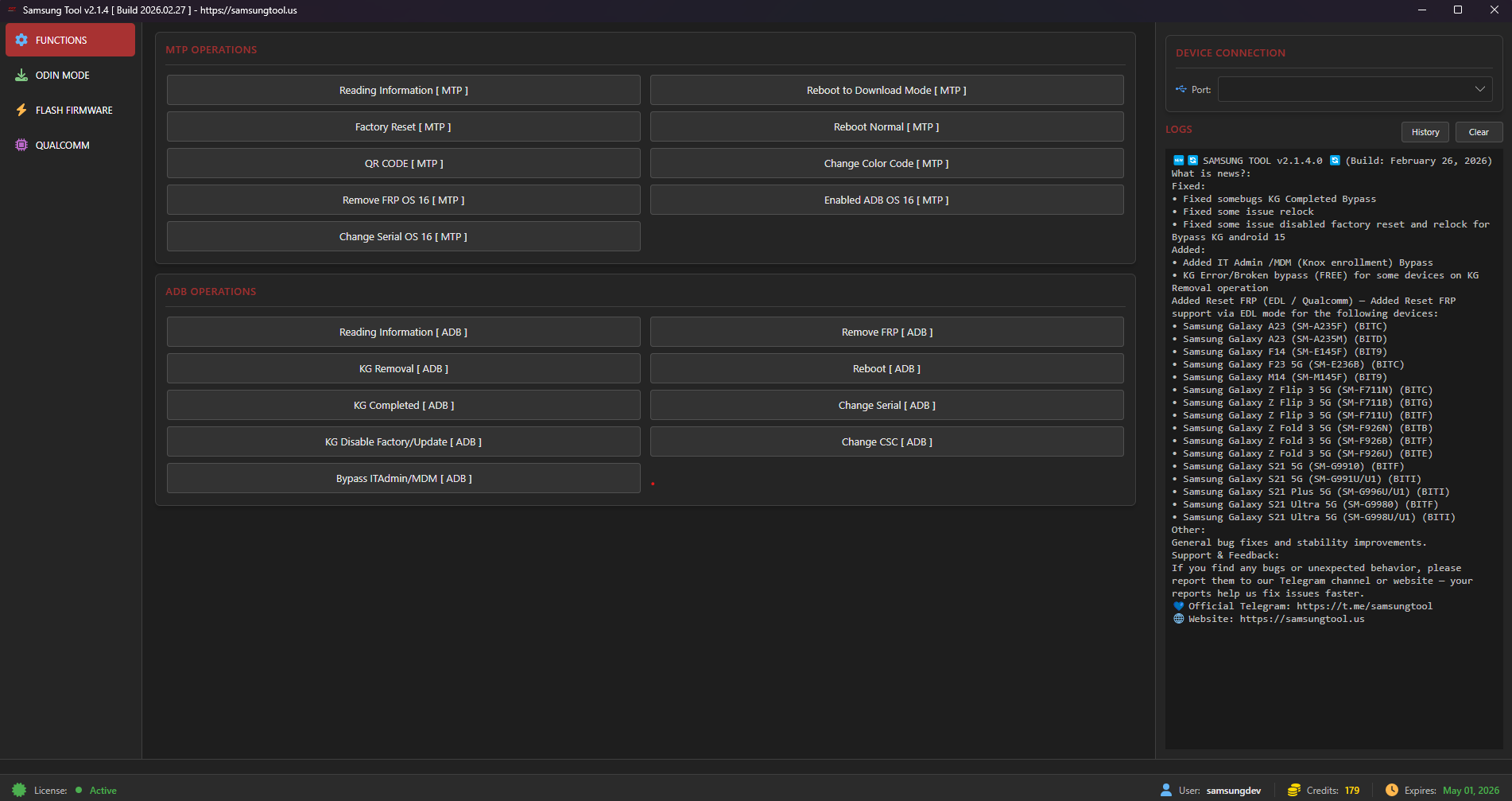
Features (via MTP or ADB mode)
- Reset FRP
- Reset KG
- Reset MDM (10 credits per phone, if a security patch is between 09/2025 and 03/2026)
- Reset IT ADMIN
Supported models
- Galaxy A Series (Android 10 - 16) (security till 03/2026)
- Galaxy M Series (Android 10 - 16) (security till 03/2026)
- Galaxy S Series (Android 10 - 16) (security till 03/2026)
- Galaxy Z Series (Android 10 - 16) (security till 03/2026)
- Galaxy Tab Series (Android 10 - 16) (security till 03/2026)
How to buy
- Create user account on the official samsungtool website
- While placing your order here, indicate the username and email you used to register (Step 1)
- As soon as we receive your full payment and process your order, we will send a notification to your email.
How to start using
- Download software
- Run the software
- Login to your account
- Done!
*The developer provides support only for those phones which are on the list of supported. Not all servicing features can be applied to some supported models, due to differences of hardware/software versions. You can find a complete list of supported models on the official product page or the GSM forum.
Instructions
How to buy
- Create user account on the official samsungtool website
- While placing your order here, indicate the username and email you used to register (Step 1)
- As soon as we receive your full payment and process your order, we will send a notification to your email.
How to start using
- Download software
- Run the software
- Login to your account
- Done!