Similar products
ID: 932453
Availability in stock:
HK
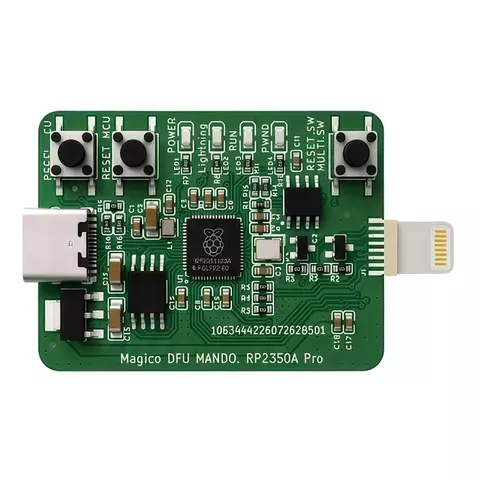
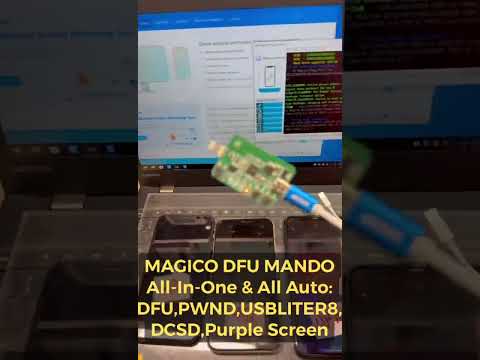
Magico DFU MANDO RP2350A PRO is a professional hardware helper for supported iPhone and iPad service workflows. It is designed to automate common low-level device mode actions such as enter DFU / PWN mode, exit DFU mode, USBLiter8 mode, DCSD read/write mode, and purple screen mode.
Download Magico DFU Mando v5.6
How it Works
How to use Magico DFU Mando RP2350A Pro
Operation Tutorial
- Download MAGICO DIAG TOOL 5.6 software
- Open this software on your‑desktop computer.
- The cellphone can be powered‑on or powered‑off. Connect the MAGICO DFU MANDO to your computer USB port via an ordinary USB‑C cable, then plug the tail connector into your phone.
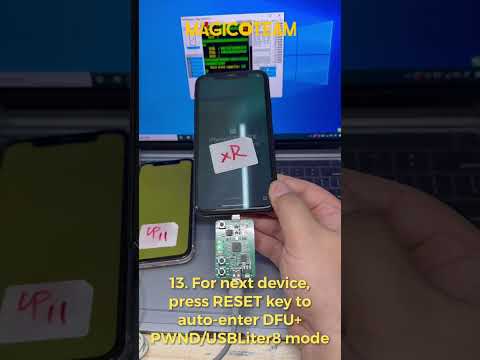
- The MAGICO DFU MANDO will start‑up automatically and its four indicator lights will light up in sequence. Press the RESET button if the device fails to run automatically.
- Unplug the MAGICO DFU MANDO once the fourth green LED turns on. Your phone has now successfully entered PWND / USBLITER8 Mode.
- Connect the phone with a USB‑to‑Lightning cable. The upper‑left corner of the tool platform will display a prompt confirming PWND / USBLITER8 Mode access.
- Select the COM port for COMMAGICO RP2350‑PRO and click DFU CONNECT PHONE. The software notification will pop‑up once the handset enters engineering mode.
- Re‑connect the MAGICO DFU MANDO. It will automatically read hard‑disk data. Equipped with DCSD engineering‑wire function, the MAGICO DFU MANDO enables free data reading and writing under Purple Screen mode.
Features
- Auto Enter & Exit DFU Mode
- Enter PWND / Pwned DFU Mode
- Enter USBLiter8 Mode
- Enter DCSD Engineering Mode
- Enter Purple Screen Mode
- One-Click Reboot & Mode Exit
- SYSCFG Read & Write
- NAND Data Read & Write
- Wi-Fi Data Unbinding Support
- No Disassembly Required for Supported Workflows
Application
This tool is intended for repair technicians and advanced users working with supported Apple A12/A13 devices. It is used in legitimate servicing workflows where fast, repeatable mode switching is needed for diagnostics, recovery, and compatible exploit-based procedures.
Raspberry Pi Pico 2. Powered by RP2350A MCU
Read Before Using
- This is a hardware helper, not an iCloud tool or permanent decoding solution.
- Results depend on compatible software, exploit workflow, and the supported device model.
- Use only for lawful device repair, testing, and research on devices you own or are authorized to service.
Supported Models
- iPhone XR / XS / XS Max / 11 / 11 Pro / 11 Pro Max / SE2 running A12 and A13 chips
- iPad 8 / iPad mini 5 / iPad Air 3
Package Content
- Magico DFU Mando RP2350A PRO - 1 pc.
Note! This product is not covered by the warranty and cannot be returned!
Due to the onrush of technology and efforts to meet every customer's demands, the supplier retains the right to change some positions in the list of cables and accessories coming together with the product. Therefore, the package content presented above is rather tentative. More details on the matter can be obtained from our sales managers.